How to Send Bitcoin to Another Wallet


If you want to learn how to send Bitcoin to another wallet, the process is simple once you understand how a cryptocurrency wallet, the Blockchain, and the Bitcoin protocol work together. Sending Bitcoin is not the same as moving money through a bank or arranging a wire transfer, but it can be a fast and reliable form of payment when handled carefully.
Key Takeaways:
- Keys Protect Your Bitcoin:A public key works like a receiving address, while a private key approves outgoing transfers. Only the holder of the private key can authorize movement of the coin.
- Transfers Cannot Be Undone:A Bitcoin transaction is permanent after it is sent. To reduce mistakes, use copy and paste or scan a QR code instead of typing the address by hand.
- Every Transaction Includes a Fee:Miners receive a fee for validating activity on the network. The amount can rise or fall depending on network congestion.
- Use Confirmations to Track Progress:Your TXID lets you follow the transfer in a blockchain explorer, and many users view six confirmations as a strong sign of final settlement.
Many first-time users ask how to move Bitcoin from one wallet to another. Although the network is designed for secure cryptocurrency transfers, it behaves differently from sending cash, money through a bank, or a traditional wire.
So what matters most before you hit send?
From understanding the basics to checking the final status on the Blockchain, our editorial team breaks down the full process and highlights practical information that can help you avoid costly errors.
The Basics of Bitcoin Transactions
Before sending funds, it helps to know what is happening behind the screen.
A Bitcoin transaction is the transfer of a digital asset from one person to another across the Bitcoin network. At a basic level, one user sends Bitcoin and another user receives it, but the actual process relies on public-key cryptography rather than a bank, wire service, or email system.
In this model, your cryptocurrency wallet uses a private key to approve the transaction. The recipient shares a public address that can accept the coin. You can think of it like a secure digital drop point: others can send to it, but only the rightful owner can control what happens next.
Here is the standard flow:
- Create the transfer in your wallet and broadcast it to the Bitcoin network.
- Miners or validators on the network check that the transaction follows the Bitcoin protocol.
- After verification, the record is added to the Blockchain, which serves as the public ledger.
- Once confirmations accumulate, the recipient can treat the payment as received.
Each transfer also includes a fee. That fee rewards participants who help secure the network and process activity. Costs vary based on transaction size and network congestion.
In practice, the fee may feel like postage on a letter or a service charge on a wire transfer. Some wallets show the cost in Bitcoin, while others display an estimate in a local currency such as the United States dollar.
That covers the foundation. Next comes the actual process of moving Bitcoin from your own wallet.
Step-by-Step Guide to Sending Bitcoin
If you need a clear walkthrough, follow these steps to complete the transaction safely.
- Open your Bitcoin wallet.
- Choose the Send feature.
- Add the recipient address.
- Enter the amount.
- Review the transaction.
- Confirm and broadcast.
- Wait for confirmations.
Step 1: Open Your Bitcoin Wallet
Start by launching your Bitcoin wallet. This could be a mobile app, desktop software, or a hardware device. No matter which type you use, confirm that your cryptocurrency wallet already holds enough Bitcoin to cover both the amount you plan to send and the fee.
Some people fund their wallet through an exchange such as Coinbase, while others buy with cash through a kiosk or other service. However you acquired the asset, make sure the balance is available before continuing.
Step 2: Choose the Send Feature
Inside the wallet interface, find the option used to send Bitcoin. The wording may differ slightly, but most platforms use a button labeled Send or Send Bitcoin.
Once selected, the wallet will open the form where you enter the payment details.
Step 3: Add the Recipient Address
Enter the destination wallet address in the proper field. This address is usually a long string of letters and numbers. The safest method is to paste it directly or scan the recipient’s QR code.
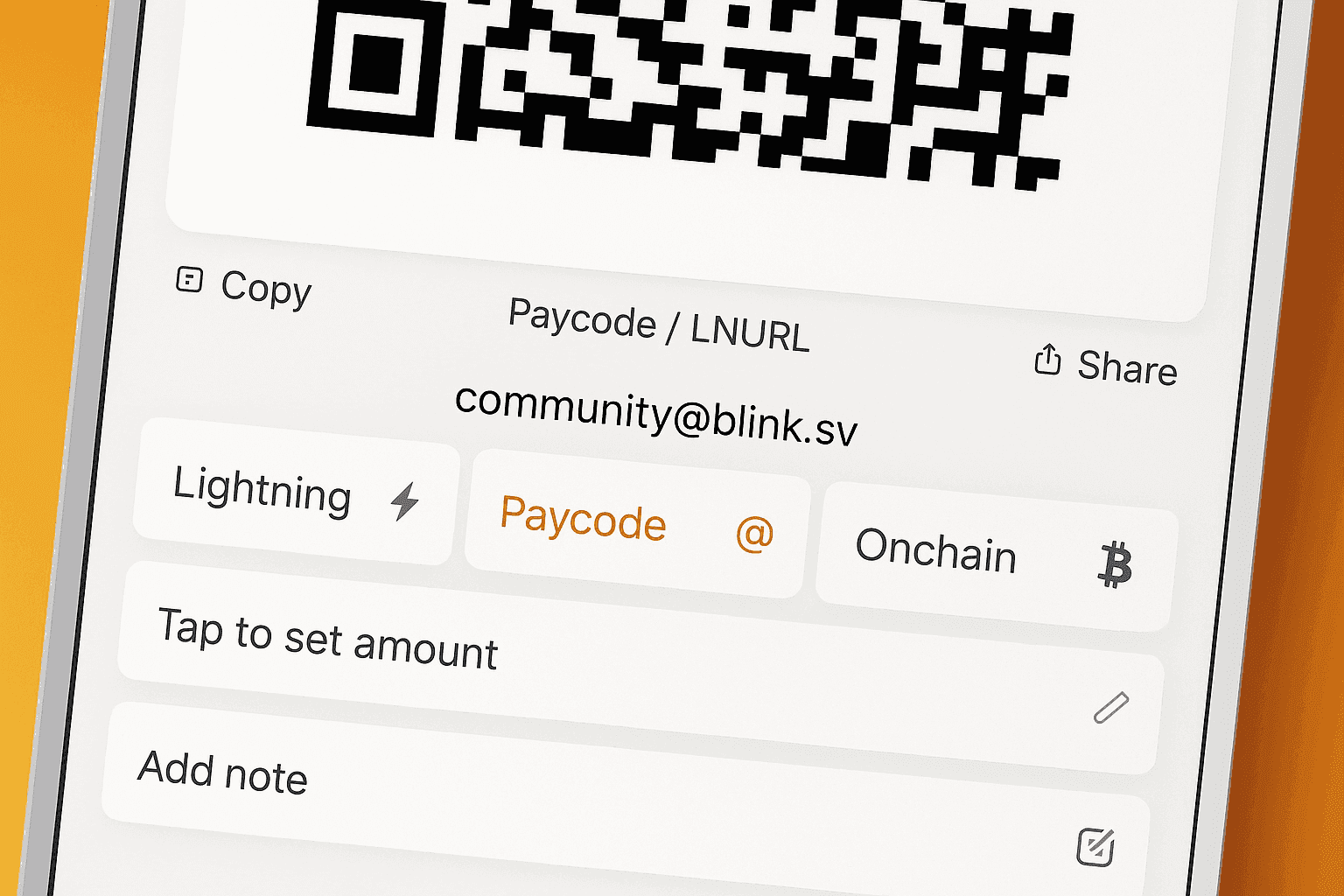
Tip:Review every character carefully before moving forward. Bitcoin transfers are not reversible, and sending to the wrong address can permanently destroy access to your money.
Step 4: Enter the Amount
After confirming the address, choose how much Bitcoin you want to send. Many wallets let you type the amount in Bitcoin or convert from a local currency such as the United States dollar.
Be aware that the fee is separate from the amount being delivered. If your goal is to send 1 coin, your wallet must contain more than that total so the network charge can be paid as well.
Step 5: Review the Transaction
Before approving anything, inspect the full summary.
Check the recipient address, the amount, and the expected fee. This is also the right time to confirm that the transaction speed matches your needs.
Tip:Some wallets suggest a fee automatically based on current network congestion. A higher fee may help the payment confirm faster.
Step 6: Confirm and Broadcast
When everything looks correct, approve the transaction and send it to the network.
Your wallet may ask for a password, fingerprint, PIN, or another security step. After approval, the Bitcoin transaction is broadcast for validation.
Step 7: Wait for Confirmations
Once sent, the transaction will usually appear as pending. That status remains until the network starts adding confirmations.
Small transfers may be treated as complete after one confirmation, while larger amounts may require more caution before the recipient considers the payment final.
Sending Bitcoin From an Exchange
If your Bitcoin is held on a custodial platform such as Coinbase or Robinhood, the process can look a little different from sending funds from a private wallet.
In most cases, you must first open the platform, choose Bitcoin, select the withdrawal or send option, and then enter the destination wallet address. You may also need to complete identity checks, enable security settings, or wait through a platform review period before the transfer is approved.
Custodial platforms can impose their own rules, fees, and withdrawal limits. Some also restrict when you can move newly purchased Bitcoin, especially if the purchase was made through a linked bank account.
Robinhood does offer a native crypto wallet that allows eligible users to send and receive supported cryptocurrencies, including Bitcoin. However, supported coins, transfer limits, and availability can vary by account status and region.
Before using any exchange withdrawal feature, confirm that the platform supports external wallet transfers for the asset you want to move. It is also smart to double-check the destination network and review any holding periods or minimum withdrawal amounts.
How to Verify a Successful Transfer
After sending Bitcoin, you may want to check whether the transfer has cleared.
One of the most useful features of the Blockchain is transparency. Anyone with the right information can look up a transaction and monitor its status using a blockchain explorer.
To do this, copy the TXID from your wallet and paste it into a tracker. You will be able to see whether the transaction is still pending or has started receiving confirmations.
A transfer with zero confirmations is still waiting. As more blocks are added, the status becomes more secure. Many users treat six confirmations as a dependable threshold for finality.
Here are two common issues to watch for:
- Delayed Transactions:A payment can remain unconfirmed if the fee was too low or if network congestion suddenly increases. Some wallets offer features that let you raise the fee after sending.
- Wrong Address:If Bitcoin is sent to an incorrect destination, there is no bank, email address, or customer support desk that can reverse it. Always verify the address before approving the transfer.
Bitcoin Transaction Fees for a $1,000 Transfer
A Bitcoin network fee is not based directly on the dollar value of the transfer. Whether you send $50 or $1,000, the fee usually depends more on network congestion and the amount of blockchain data the transaction uses.
For a $1,000 transfer, the fee is often only a small fraction of the amount sent, but the exact cost can rise during busy periods. In calmer conditions, users may pay a few dollars or less. During heavy congestion, the cost can increase noticeably.
As a simple example, if the network fee is $2, sending $1,000 in Bitcoin would require a total wallet balance of about $1,002 worth of Bitcoin at the time of transfer. If the fee rises to $10, your total required balance would be about $1,010.
The two biggest factors are network congestion and transaction size. A wallet with many small inputs can create a larger transaction that costs more to process than a simpler transfer.
Why People Send Bitcoin
Learning how to send Bitcoin to another wallet is useful for more than just trading or long-term holding.
Many people view Bitcoin as an asset, but it can also function as a currency for real-world activity. Depending on the situation, it may offer advantages over a wire, a wire transfer, or other conventional payment methods.
Common reasons people send Bitcoin include the following:
| Reason | Description |
|---|---|
| Personal Transfers | Users often send Bitcoin to friends, relatives, or business contacts, especially when sending money across borders. |
| Paying for Goods and Services | Some merchants accept Bitcoin directly, while others use processors that convert cryptocurrency into local currency. |
| Added Privacy | Bitcoin is not fully anonymous, but it can provide more privacy than sending money through a traditional bank account. |
| Charitable Giving | Many organizations now accept donations in cryptocurrency, making it easy to contribute with a digital payment. |
Depending on your region, a Bitcoin transaction may also create recordkeeping or tax responsibilities. If you sell, spend, or transfer an asset at a gain, tax treatment can vary, so keep clear information about your activity.
Does Edward Jones Handle Bitcoin?
Edward Jones is generally known for a conservative approach to investment products, and it has not been widely recognized as a direct venue for Bitcoin trading or Bitcoin custody. Investors who want direct exposure to Bitcoin often need to use a specialized crypto platform rather than a traditional brokerage built around stocks, bonds, and advisory services.
Its broader stance on cryptocurrency has tended to reflect caution, especially because digital assets can be volatile and may not fit every client’s risk profile. If you are considering Bitcoin through any traditional financial firm, review the firm’s current policy and available product list before assuming direct crypto access is supported.
Getting Started With Bitcoin
Now you know the core steps behind sending Bitcoin to another wallet. Open your wallet, enter the recipient, review the fee, approve the transaction, and track it through the Blockchain until confirmations arrive.
For new users, the key is patience and accuracy. Double-check the address, understand the cost, and remember that even a small bit of Bitcoin should be handled with care.
Whether you are moving funds between your own wallets, making a payment, or sending value to someone else in the United States or abroad, the process becomes easier each time you use it correctly.


